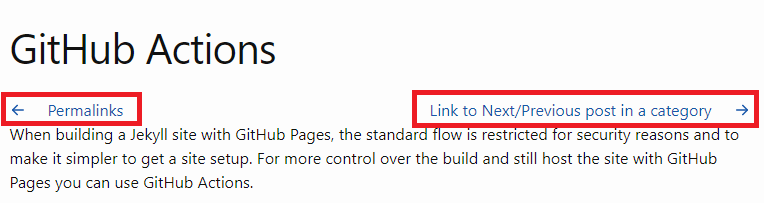
Link to Next/Previous post in a category
When in a post, we usually need to go next/back to another post. So it would be great if our post has links to next/previous post.
Get the Next/Previous post link
Use the following code to get the next/previous post link then assign to next_post/prev_post.
    {% assign cat = page.category %}
    {% for post in site.categories[cat] %}
        {% if post.url == page.url %}
            {% assign post_index0 = forloop.index0 %}
            {% assign post_index1 = forloop.index %}
        {% endif %}
    {% endfor %}
    {% for post in site.categories[cat] %}
        {% if post_index0 == forloop.index %}
            {% assign next_post = post %}
        {% endif %}
        {% if post_index1 == forloop.index0 %}
            {% assign prev_post = post %}
        {% endif %}
    {% endfor %}
Display the Next/Previous post link
Use the following code to display the next/previous post.
{% if prev_post %}
<div class="article-previous">
<a href="{{ prev_post.url }}">
<span class="iconify-inline" data-icon="akar-icons:arrow-left"></span>
{{ prev_post.title }}</a>
</div>
{% endif %}
{% if next_post %}
<div class="article-next">
<a href="{{ next_post.url }}">
{{ next_post.title }}
<span class="iconify-inline" data-icon="akar-icons:arrow-right"></span>
</a>
</div>
{% endif %}
Add links to Post layout
Now I want to add the next/previous post link to the Post layout so that these links will display as default for all posts. So that we will override the Post layout.
-
Create a
_layoutsfolder underdocsfolder. -
Get the theme path, run
bundle info --pathfollowed by the name of the theme’s gem, e.g.,bundle info --path minimafor Jekyll’s default theme. - Browse to the theme path, you will see the following structure folders.
. ├── LICENSE.txt ├── README.md ├── _includes │ ├── disqus_comments.html │ ├── footer.html │ ├── google-analytics.html │ ├── head.html │ ├── header.html │ ├── icon-github.html │ ├── icon-github.svg │ ├── icon-twitter.html │ └── icon-twitter.svg ├── _layouts │ ├── default.html │ ├── home.html │ ├── page.html │ └── post.html ├── _sass │ ├── minima │ │ ├── _base.scss │ │ ├── _layout.scss │ │ └── _syntax-highlighting.scss │ └── minima.scss └── assets └── main.scss -
Copy the
post.htmlto our_layoutsfolder. - Update the
post.htmlfile to display next/previous post link as the following:
---
layout: default
---
{% assign cat = page.category %}
{% for post in site.categories[cat] %}
{% if post.url == page.url %}
{% assign post_index0 = forloop.index0 %}
{% assign post_index1 = forloop.index %}
{% endif %}
{% endfor %}
{% for post in site.categories[cat] %}
{% if post_index0 == forloop.index %}
{% assign
next_post = post %}
{% endif %}
{% if post_index1 == forloop.index0 %}
{% assign prev_post = post %}
{% endif %}
{% endfor %}
<article class="post h-entry" itemscope itemtype="http://schema.org/BlogPosting">
<header class="post-header">
<h1 class="post-title p-name" itemprop="name headline">{{ page.title | escape }}</h1>
</header>
{% if prev_post %}
<div class="article-previous">
<a href="{{ prev_post.url }}">
<span class="iconify-inline" data-icon="akar-icons:arrow-left"></span>
{{ prev_post.title }}</a>
</div>
{% endif %}
{% if next_post %}
<div class="article-next">
<a href="{{ next_post.url }}">
{{ next_post.title }}
<span class="iconify-inline" data-icon="akar-icons:arrow-right"></span>
</a>
</div>
{% endif %}
<div class="post-content e-content" itemprop="articleBody">{{ content }}</div>
{%- if site.disqus.shortname -%}
{%- include disqus_comments.html -%}
{%- endif -%}
<a class="u-url" href="{{ page.url | relative_url }}"></a>
</article>
{% if prev_post %}
<div class="article-previous">
<a href="{{ prev_post.url }}">
<span class="iconify-inline" data-icon="akar-icons:arrow-left"></span>
{{ prev_post.title }}</a>
</div>
{% endif %}
{% if next_post %}
<div class="article-next">
<a href="{{ next_post.url }}">
{{ next_post.title }}
<span class="iconify-inline" data-icon="akar-icons:arrow-right"></span>
</a>
</div>
{% endif %}
Add style for next/previous post link
-
Create a
_sassfolder underdocsfolder. -
Create a
_pager.scssfile under_sassfolder with the following code: ```css .article-previous, .article-next { display: inline; a { text-decoration: none; } }
.article-next { float: right; }
3. Create `css` folder under `assets` folder.

4. Create `styles.scss` file under `css` folder with the following code:
```css
---
---

@import "pager";
- Add the following code at the end of
_config.ymlfile:sass: sass_dir: _sass - Add the following code to
default.htmlfile: ```HTML
```
- Finally we will get the result.